
Quick Answer
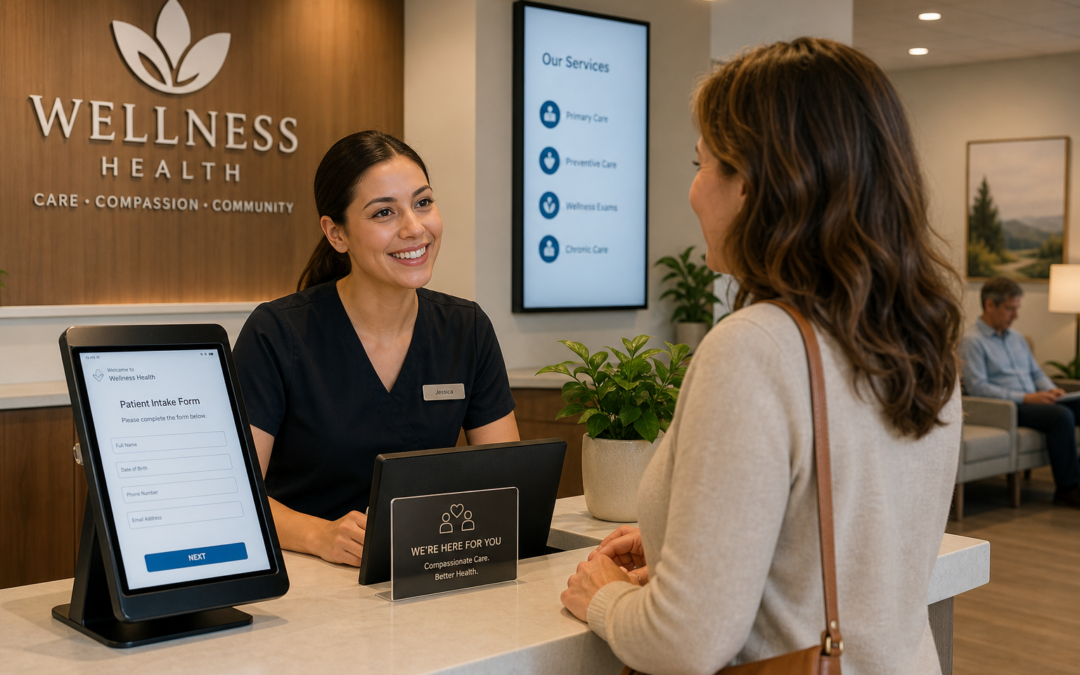
Digital receptionist systems automate patient check-in, appointment scheduling, insurance verification, and intake using AI technology. These healthcare workflow automation platforms handle administrative tasks 24/7, reducing staff workload by 40% while improving patient experience. Integration with your EHR enables real-time verification and data consistency across your clinic operations.
What Digital Receptionist Systems Actually Do
A digital receptionist system isn’t just about answering phones—though it does that exceptionally well. These platforms handle the entire front-end experience: patient check-in, intake forms, insurance verification, appointment scheduling, and follow-up communications. What I’ve seen work best is when clinic owners treat this as healthcare workflow automation that frees staff to focus on patient care rather than administrative busywork.
The reality is that your team probably spends 15-20% of their day on tasks a digital system can handle instantly. That’s time your clinical staff could spend with patients, addressing concerns, or handling complex cases that actually require human judgment.
Why Healthcare Workflow Automation Matters Now
Patient expectations have shifted. People expect to complete forms online. They want appointment confirmations via text. They need insurance verified before they walk in. A manual intake process doesn’t just frustrate patients—it creates bottlenecks that ripple through your entire schedule.
Here’s the thing: small to medium healthcare systems often run lean. You can’t hire another receptionist just to handle the growing administrative load. That’s where medical AI steps in. An AI receptionist handles hundreds of interactions simultaneously without fatigue, sick days, or training cycles.
What makes this work is automation that integrates with your existing systems. The best healthcare workflow automation doesn’t replace your EHR or practice management software—it talks to them seamlessly.
Core Functions You’ll Actually Use
- Automated Check-In: Patients complete intake before arrival through web portals or SMS. Forms are pre-populated with existing data, cutting completion time from 15 minutes to 2.
- Insurance Verification: Real-time verification happens instantly, flagging issues before the patient arrives rather than discovering coverage gaps at billing.
- Appointment Scheduling: An AI receptionist books, reschedules, and manages cancellations 24/7. No more missed revenue from missed appointments.
- Patient Communication: Automated reminders, follow-ups, and status updates reduce no-shows by 25-40% depending on your specialty.
- Data Capture: Digital intake collects structured data your clinical team can actually use—allergies, medications, previous diagnoses—all formatted for quick review.
Implementation Reality Check
Most clinic directors worry about complexity, but modern systems are designed for healthcare environments. You’re not building technology—you’re implementing it. The setup typically takes 2-4 weeks for full deployment, assuming your EHR vendor provides decent API access.
The key integration point is your practice management system. Your healthcare assistant AI needs to sync appointment availability, confirm bookings in real-time, and flag scheduling conflicts automatically. Without this connection, you’re back to manual data entry—defeating the entire purpose.
When considering vendors, ask about HIPAA compliance, data residency, and audit trails. As a healthcare leader, you’re responsible for patient data. Your system needs documentation proving security measures are robust. Evaluating healthcare AI companies requires a thoughtful checklist to ensure compliance and reliability.
Ready to put AI to work?
Book a free 30-minute discovery call. We’ll map your current workflows, identify the highest-impact AI use cases, and give you a no-obligation roadmap.
Real Impact on Your Operations
Let’s talk numbers. A clinic running 30-40 patient appointments daily spends roughly 8-10 hours on front-desk administrative tasks. With digital automation, that drops to 1-2 hours for exception handling and complex requests.
That’s not just efficiency—that’s capacity. Your existing staff can now process more patients, manage more complex scheduling, or focus on patient experience rather than data entry. In practices I’ve worked with, this translates to 15-20% increased patient throughput without hiring additional staff.
Beyond capacity, there’s quality. Digital intake is consistent. Every patient provides the same information in the same format. Your clinical team spends less time clarifying incomplete forms and more time with patients. Insurance verification happens upfront, reducing claim denials and billing disputes.
Common Obstacles and How to Navigate Them
Staff resistance is real. Your reception team might worry about job security. Address this head-on: position automation as a tool that eliminates frustrating, repetitive work so they can handle what requires human skill—managing upset patients, coordinating complex scheduling, building relationships.
Patient adoption is usually smoother than you’d expect. People prefer online check-in to sitting in a waiting room with a clipboard. Older patients do need phone support initially, but most adapt quickly when systems are intuitive.
Integration challenges vary by EHR vendor. Some integrate seamlessly. Others require workarounds. Budget 2-4 weeks for testing and 1-2 weeks for staff training. Document everything during implementation so your team knows how to troubleshoot common issues.
Choosing the Right Healthcare Assistant Platform
Not all systems are created equal. You want medical AI that understands healthcare context—not generic automation adapted from other industries. Your AI receptionist needs to understand scheduling constraints, knows which insurance verifications require manual approval, and recognizes when to escalate to human staff.
The best healthcare workflow automation platforms offer:
- Multi-channel communication (phone, SMS, web, patient portal)
- Real-time EHR integration, not batch processing
- Customizable workflows that match your clinic’s processes
- Clear audit trails for compliance and dispute resolution
- Vendor support with healthcare expertise, not generic IT support
Implementation quality matters as much as the platform itself. You want a vendor who understands clinic operations and can advise on workflow optimization, not just install software. This is why selecting among healthcare AI companies based on domain expertise makes a measurable difference in outcomes.
Next Steps for Your Clinic
Start by mapping your current intake and check-in process. Document every step, every decision point, every handoff. This isn’t busywork—it’s the foundation for effective automation. You can’t automate what you haven’t clearly defined.
Then identify your biggest bottleneck. Is it insurance verification delays? No-shows from missed reminders? Incomplete intake forms? Target that specific problem first. Prove the value before expanding automation across your entire front-end operation.
Finally, involve your team in selection and implementation. The staff managing these systems daily will spot implementation issues early. Their buy-in matters more than any vendor promise about efficiency gains.
AgentHub delivers comprehensive AI receptionist and medical AI chatbot solutions specifically designed for clinic environments, offering the integrated automation your small to medium healthcare system needs.
Digital receptionist systems aren’t a luxury—they’re becoming table stakes for competitive healthcare delivery. The clinic directors who implement them first gain a real advantage: better patient experience, lower operational costs, and happier staff doing work that actually requires human judgment.
Frequently Asked Questions
How do digital receptionist systems integrate with our existing EHR or practice management software?
Start by asking any vendor to demonstrate live integration with your specific EHR, not a generic demo. The key questions are whether data syncs in real time or in batches, how scheduling conflicts are flagged, and what happens when the connection fails. Request references from clinics using the same EHR you do before committing to any platform.
What should clinic leaders look for when evaluating HIPAA compliance in a digital receptionist platform?
Ask vendors for documentation covering data residency, encryption standards, access controls, and audit trail capabilities. In Canada, also confirm alignment with provincial privacy legislation such as PIPEDA or applicable provincial health privacy laws. Request a Business Associate Agreement or equivalent, and have your privacy officer or legal counsel review it before signing anything.
How do we manage staff concerns about job security when introducing healthcare workflow automation?
Address it directly and early. Frame automation as taking over the repetitive, frustrating tasks so your team can focus on work that genuinely requires human judgment, such as managing complex scheduling, supporting anxious patients, or resolving billing disputes. Involve reception staff in the selection and implementation process so they feel ownership rather than displacement.
What is a realistic timeline and approach for implementing a digital check-in system in a small clinic?
Plan for roughly two to six weeks total depending on your EHR vendor's API accessibility. Start by mapping every step of your current intake process before touching any technology. Then target your single biggest bottleneck first, whether that is insurance verification delays or no-shows, prove the value there, and expand gradually. Budget additional time for staff training and troubleshooting documentation.
How can we improve patient adoption of digital check-in, especially among older or less tech-comfortable patients?
Choose a system with a clean, simple interface and offer multiple channels: SMS, web portal, and phone. Keep phone-based check-in available as a fallback during the transition period. Brief your front-desk team on how to guide hesitant patients through the digital process in person or over the phone the first time, which typically resolves most adoption concerns.
Want to scale smarter with AI?
Let’s map out your highest-impact AI opportunities in a quick, 30-minute session – 100% free with zero obligation.
